Keep your JavaScript and TypeScript dependencies clean.
detangle finds import cycles, enforces boundaries between parts of your code, and lets you explore the dependency graph. It works with React, Vue, Svelte and Angular projects, and it's fast enough to run on every save.
src/ (10,000 modules, 113,000 imports)Install
npm install --save-dev detangle
Or run it once without installing: npx detangle check. npm downloads only the binary for your platform; no Rust needed.
brew install debug-diary-1/tap/detangle
For macOS and Linux.
cargo install --locked detangle
Builds from source; needs Rust 1.94 or later. --locked uses the exact dependency versions each release was tested with.
Download the archive for your platform from the latest release, unpack it and put detangle on your PATH. Builds are available for macOS, Linux (glibc and musl) and Windows, on x64 and arm64.
Quick start
Run these in your project's root:
# find cycles, unresolvable imports and more
detangle check

# explore the graph interactively; it updates as you edit
detangle

# write a starter config, then an HTML report
detangle init
detangle report --open
detangle whyThe shortest import chain from one module to another.detangle graphDiagrams in Mermaid, DOT, D2 or JSON, filtered to what matters.detangle affectedThe modules, or tests, a change can affect.The explorer
Run detangle with no arguments for an interactive view of your dependency graph. Filter to a module, see what it imports and what imports it, follow imports, and jump to the cycles and rule violations it's part of. It rebuilds as you edit.
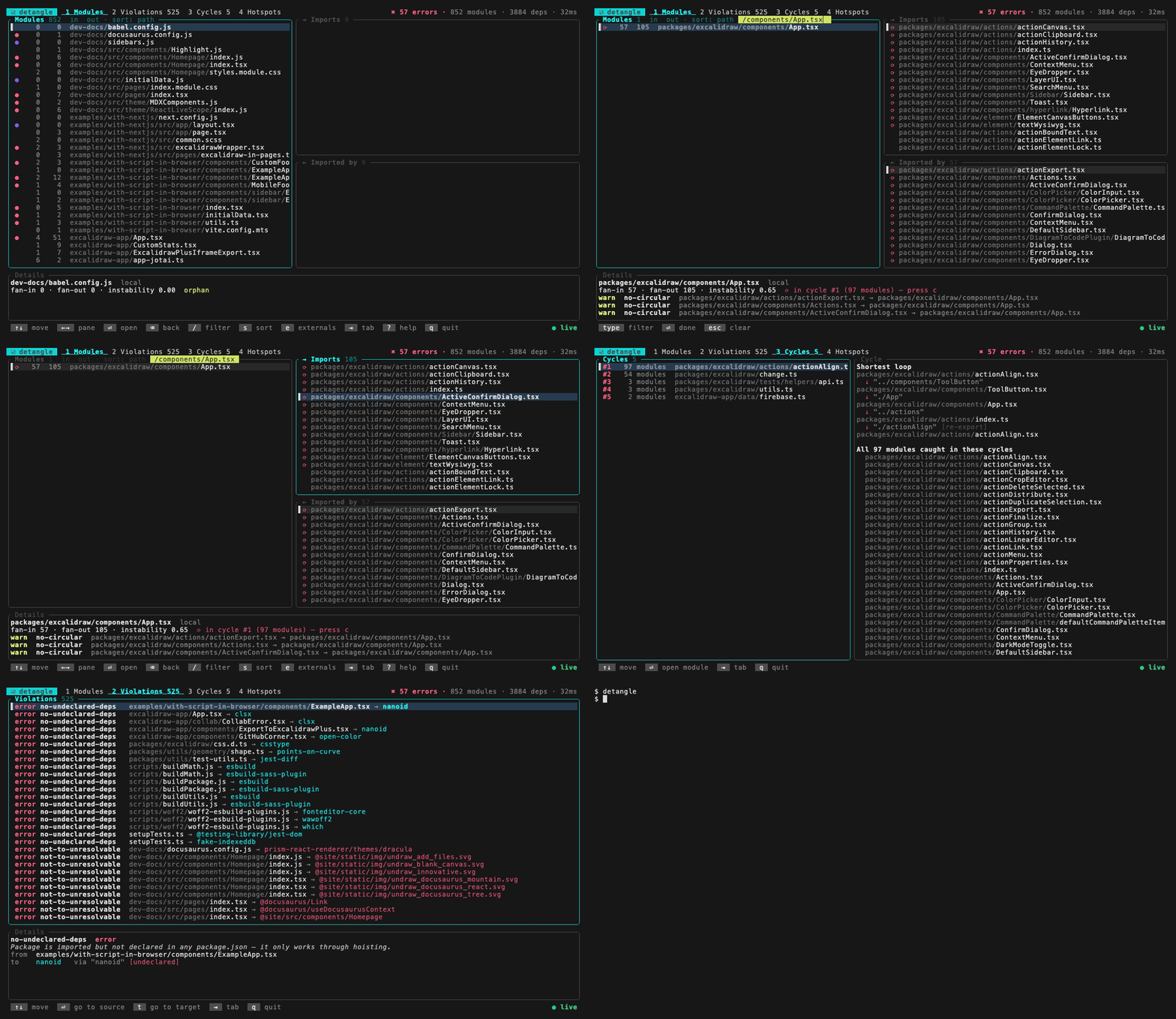
Excalidraw's source, 852 modules. Keys: arrows to move, Enter to follow, / to filter, 1–4 for the tabs.
Write your own rules
Rules live in detangle.toml. Paths are regular expressions, matched against paths relative to your project root.
# features may not import each other
[[forbidden]]
name = "no-cross-feature"
severity = "error"
from = { path = '^src/features/([^/]+)/' }
to = { path = '^src/features/', path_not = '^src/features/$1/' }
Rules can also cover dead files, npm package licenses, runtime-only cycles, groups of folders and Nx projects. See the rules reference.
Run it in CI
In a GitHub Actions workflow, violations appear as annotations on the pull request:
- run: npx detangle check -f github
Adopting rules on an existing codebase? detangle check --write-baseline records today's violations, so CI fails only on new ones.
In your editor experimental
The detangle/eslint plugin shows violations on the imports that cause them, as you type, including unsaved edits. It keeps the scan in memory, so after the first lint it adds under a millisecond for a typical file.
// eslint.config.js (ESLint 9 or 10)
import detangle from "detangle/eslint";

export default [/* ...your config */ detangle.configs.recommended];
Keep detangle check as the CI gate. See the ESLint reference for options and limits.
Benchmarks
Each tool checks the same repository for the problems it's built to find. detangle always runs its full default rule set: cycles, unresolvable imports, undeclared packages and orphans.
Coming from another tool
detangle migrate converts your existing setup into a detangle.toml: JavaScript rules configs, ESLint import rules, Nx module boundaries, eslint-plugin-boundaries and madge.
detangle migrate --dry-run   # preview
detangle migrate             # write detangle.toml